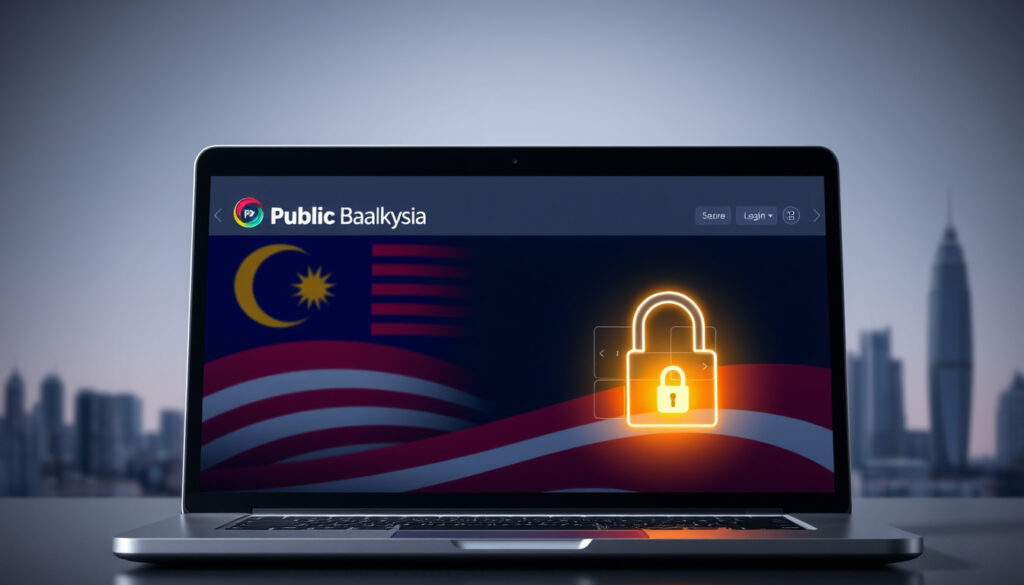
Public Bank Malaysia Login – Secure PBe Access Guide
Public Bank Berhad operates one of Malaysia’s most widely used digital banking platforms through PBe (Public Bank e-Banking), providing customers with secure access to their accounts around the clock. The service handles personal banking, enterprise accounts, and trading activities through both a web-based portal and the MyPB mobile application. Understanding the proper login procedures, security requirements, and troubleshooting options helps customers access their finances quickly and safely.
The official gateway to Public Bank’s online services is pbebank.com, where users find a prominent login interface for multiple account types. Whether accessing accounts through a web browser or the MyPB app, the platform maintains consistent security standards while offering 24/7 availability. This guide covers essential information including login steps, account registration, password recovery, and security best practices.
Essential Details for Public Bank Malaysia Login Access
Accessing your Public Bank account requires specific credentials and proper procedure. The following overview provides the core requirements and options available to customers.
https://www.pbebank.com/
User ID, Password, Device Registration
Web Portal (pbebank.com), Mobile App (MyPB)
Hotline 03-2170 0333, 24/7 Chat
The platform supports three main account categories: PB Personal for individual customers, PB Enterprise for business banking needs, and trading accounts for investment activities. All access points utilize the same User ID and password combination, streamlining the login experience across devices.
- PBe requires a registered User ID, typically linked to your mobile number or assigned during account setup
- Two-factor authentication through OTP sent to your registered mobile number adds a security layer
- New users must complete device registration before accessing certain features
- Biometric authentication through the MyPB app offers convenient, secure access
- Interbank GIRO and DuitNow transfers are processed free through online and mobile channels
- Account holders can manage investments including shares, gold, and eIPO participations
- Password resets require OTP verification sent to your registered mobile or information from your ATM, debit, or credit card
| Fact | Details |
|---|---|
| Service Name | PBe Online Banking |
| Parent Bank | Public Bank Berhad, Malaysia |
| Official Login URL | https://www.pbebank.com/ |
| Security Features | 2FA, OTP, SSL Encryption, SecurePIN |
| Service Availability | 24/7 |
| Mobile Application | MyPB (available on iOS and Android) |
| Customer Hotline | 03-2170 0333 |
How to Login to Public Bank Malaysia Online
The login process differs slightly depending on whether you use a web browser or the MyPB mobile application. Both methods require your registered credentials and additional verification for security purposes.
Web Browser Login Steps
Accessing your account through pbebank.com follows a straightforward sequence. Start by navigating to the official website and locating the red login button positioned prominently on the homepage. Clicking this button presents options for PB Personal, PB Enterprise, or trading accounts.
Select the account type that matches your needs, then enter your User ID. For most customers, the User ID corresponds to their registered mobile number. Following this, input your 6-digit PIN or password. The system then sends a one-time password to your registered mobile number, which you must enter to complete the login process.
First-time users following branch or ATM registration must enter their temporary User ID initially. The system then prompts you to accept terms and conditions, establish a memorable question and answer pair, and create a login phrase between 13 and 20 characters. Processing typically takes between 2 and 10 minutes before full access becomes available.
Mobile App Login via MyPB
The MyPB application provides a modern interface for accessing your banking services on smartphones and tablets. Download the app named “PBE Bank App” or “MyPB” from the Google Play Store for Android devices or the Apple App Store for iOS devices.
Launch the application and enter your User ID and password using the same credentials applied on the web platform. The system may request OTP verification sent to your registered mobile, or additional prompts depending on your security settings. Biometric authentication through fingerprint or facial recognition offers an alternative for returning users who have registered their device.
Device registration binds your User ID to a specific mobile device for enhanced security. Each User ID can only be registered to one device at a time, preventing unauthorized access even if credentials become compromised. Should you need to use a different device, the existing registration must be removed before proceeding.
The MyPB app and PBe web portal share the same authentication system. Your User ID and password work across both platforms, allowing flexibility in how you access your accounts.
Registering for Public Bank Online Banking
New customers must complete registration before accessing PBe services. Eligibility requirements include being at least 18 years old and possessing an active Public Bank account such as savings, current accounts, loans, credit cards, fixed deposits, PB R-NID, or gold investment accounts.
Obtaining Temporary Login Credentials
Temporary credentials can be obtained through two primary methods. Visit any Public Bank ATM and select the appropriate option to receive your temporary User ID and password. Alternatively, visit a bank branch where staff can assist with the registration process. Joint account holders must register in person at a branch as ATM registration is not available for shared accounts.
After obtaining your temporary credentials, proceed to the official login page and select the registration option. The system guides you through accepting terms and conditions, setting your memorable question and answer, and creating a login phrase. These security measures protect your account and enable password recovery in the future.
The complete registration process, including initial login and security setup, typically requires between 2 and 10 minutes to process. Video tutorials and step-by-step guides are available on the official website for customers who prefer visual instructions.
Eligibility and Account Requirements
Public Bank offers digital banking access to customers holding various account types. Individual savings and current account holders qualify for PB Personal access. Business owners can register for PB Enterprise to manage cash flow, QR payments, and virtual accounts. Trading account holders access investment features including share management, gold investments, and eIPO participation.
Ensure your mobile number registered with Public Bank is current before beginning the registration process. OTP verification and password recovery depend on receiving messages at this number.
Troubleshooting Public Bank Login Problems
Login difficulties can arise from various causes including forgotten passwords, device mismatches, or network issues. Understanding common problems and their solutions helps restore access quickly.
Recovering a Forgotten Password
The password recovery process begins on the login page where you select “Forgot Password.” The system requires three pieces of information: your User ID, identification number, and either your ATM, debit, or credit card number linked to the account. After submitting these details, an OTP is sent to your registered mobile number for verification.
Once verified, you can create a new password and regain access to your account. Video tutorials on the official site demonstrate this process step by step. If online recovery fails or you encounter difficulties, contacting the hotline at 03-2170 0333 provides direct assistance from customer service representatives.
Resolving Common Login Errors
Several issues commonly prevent successful login attempts. Entering credentials incorrectly blocks access after multiple attempts as a security measure. Using an unregistered device triggers additional verification steps. Network connectivity problems may interrupt the authentication process mid-session.
Clear your browser cache and cookies if experiencing persistent issues with the web portal. For the MyPB app, ensure you have downloaded the latest version from your app store. Uninstalling and reinstalling the application can resolve software conflicts in some cases.
Always verify you are using the official website and application. Phishing sites mimicking Public Bank’s login page pose significant security risks. Bookmark the official URL and access it directly rather than through search engine results which may contain fraudulent links.
Support options available include the 24-hour hotline, online chat through the website, and in-person assistance at any Public Bank branch. Each channel offers varying levels of support depending on the complexity of your issue.
Public Bank will never ask for your full password or PIN through email, phone calls, or text messages. Only enter credentials on the official website at pbebank.com or through the official MyPB application downloaded from trusted app stores. For a comprehensive overview of the ship’s features and amenities, consult our Liberty of the Seas guide.
Understanding PBe Login Security Measures
Public Bank implements multiple security layers to protect customer accounts and financial data. These measures align with Bank Negara Malaysia guidelines for electronic banking transactions, ensuring compliance with national standards.
Two-factor authentication forms the foundation of account protection. Every login attempt requires both something you know (your password) and something you receive (the OTP sent to your mobile). This prevents unauthorized access even if your password becomes compromised through keyloggers or phishing attempts.
The PB SecureSign feature offers a 6-digit SecurePIN as an alternative authentication method for approved transactions. Combined with device binding, where each User ID connects to a single registered device, the platform significantly reduces the risk of unauthorized account access.
SSL encryption protects data transmitted between your device and the bank’s servers. This security protocol prevents eavesdropping and data interception, particularly important when accessing accounts through public WiFi networks.
The memorable question and answer feature adds another recovery option beyond mobile verification. Choosing a question with an answer only you know provides a backup authentication method if your registered mobile becomes unavailable.
PBe Online Banking Platform Evolution
Public Bank introduced PBe internet banking to provide customers with secure online access to their accounts. Over time, the platform has evolved through several major updates to enhance functionality and user experience.
The introduction of mobile banking brought PBe services to smartphones and tablets, allowing customers to manage finances on the go. This mobile expansion coincided with enhanced security features including SecureSign tokens and biometric authentication capabilities.
The launch of MyPB represented a modernized interface built for contemporary user expectations. Unlike platform migrations that require new credentials, MyPB integrates seamlessly with existing PBe accounts, meaning current users gained access to the new interface without additional registration steps.
Ongoing security upgrades reflect the banking industry’s response to evolving cyber threats. Tutorial content available through the official site demonstrates features dating back to early SecureSign token implementations, illustrating the platform’s continuous development.
Verified Information vs Common Misconceptions
Several misconceptions surround Public Bank’s online banking login process. Separating verified facts from unfounded beliefs helps customers navigate the platform with confidence.
| Established Information | Common Misconceptions |
|---|---|
| The official login URL is pbebank.com | Other domain variations are safe alternatives |
| MyPB and PBe share the same login credentials | Separate accounts are needed for web and mobile |
| OTP verification is required for every login | Remembered devices bypass security entirely |
| Device registration links one device per User ID | Multiple devices can be registered simultaneously |
| Password recovery requires card information or branch visit | Customer support can reset passwords without verification |
| The platform operates 24/7 including weekends and holidays | Maintenance windows cause regular service outages |
Always verify login information through official Public Bank channels rather than relying on forum posts or third-party guides that may contain outdated or incorrect details. When uncertain, direct contact with customer support provides reliable guidance.
The Role of Digital Banking in Malaysia
Public Bank Berhad has established itself as a leading financial institution in Malaysia, with PBe Online Banking serving as a core component of its digital strategy. The platform’s development reflects broader trends in Malaysian banking toward increased accessibility and convenience. As financial institutions continue to enhance their mobile banking offerings, customers benefit from comprehensive digital ecosystems that support everything from basic transactions to sophisticated investment management.
Bank Negara Malaysia oversees electronic banking regulations, establishing standards that institutions like Public Bank must follow. These guidelines address security requirements, customer authentication, and data protection standards that govern how banks implement online services.
The shift toward digital banking has transformed how Malaysian consumers interact with financial institutions. Account management, fund transfers, and investment activities that previously required branch visits now occur through PBe from anywhere with internet connectivity. This transformation accelerated as customers increasingly expected round-the-clock access to banking services.
Official Resources and References
Several primary sources provide reliable information about Public Bank’s online banking services. These references offer the most current details and should be consulted for the latest platform updates.
The official Public Bank website at pbebank.com serves as the primary resource for login procedures, security information, and service announcements. The Public Bank Group website provides broader information about the institution’s products and corporate details.
Bank Negara Malaysia maintains oversight of banking practices including electronic transactions. Their official website contains regulatory information relevant to digital banking security standards.
Video tutorials available through the official site demonstrate login procedures, registration processes, and troubleshooting techniques. These resources prove particularly valuable for visual learners or those encountering specific issues during their banking experience.
Public Bank’s digital banking platform operates continuously to serve customers whenever and wherever they need access to their finances. Security remains paramount while maintaining the convenience that modern banking customers expect.
Next Steps After Logging In
Successful login grants access to a comprehensive suite of banking services. Understanding available features helps customers make full use of the platform’s capabilities.
- Review account balances and transaction history across all linked accounts
- Initiate fund transfers including DuitNow and interbank GIRO payments
- Pay bills and manage standing instructions for regular payments
- Update personal profile information and contact preferences
- Modify card controls including transaction limits and geographic restrictions
- Access investment features for shares, gold, and eIPO participation
- Change your password regularly and review recent login activity
For those interested in maximizing credit card rewards through mileage programs, exploring how to convert DBS points to KrisFlyer miles and similar Citi points to miles strategies can complement your banking activities.
Frequently Asked Questions
How do I recover my Public Bank login if I forgot my password?
Click “Forgot Password” on the login page, enter your User ID, ID number, and card details, then verify with OTP sent to your registered mobile. Create a new password to regain access.
What should I do if the PBe login page is not responding?
Check your internet connection, clear browser cache, or try accessing through the MyPB app instead. If problems persist, contact the hotline at 03-2170 0333 for assistance.
Which devices support PBe login?
Any device with a modern web browser can access PBe through pbebank.com. The MyPB mobile app requires iOS 12 or Android 6.0 and above.
Is the MyPB app different from PBe online banking?
Both platforms access the same account with identical credentials. MyPB offers a modern interface design while PBe web portal provides full browser-based functionality.
How long does first-time registration take to process?
After completing the registration steps with your temporary credentials, processing typically completes within 2 to 10 minutes before full account access becomes available.
Can I use Public Bank online banking outside Malaysia?
Yes, PBe can be accessed from any location with internet connectivity. Some features may have geographic restrictions, and OTP verification continues to function internationally.
What are the fees for using PBe online banking?
Interbank GIRO and DuitNow transfers are free when processed through PBe online or mobile banking. Other transaction fees follow the standard schedule available on the official website.
More related posts
 How to Fix Slow Mac: 6 Steps for Laggy Performance
 Father’s Day Singapore 2025: Date & Celebration Guide
 Lee Si-young: IVF pregnancy, marathon run, and second child
 Mr Bean Singapore Menu 2025: Prices, Outlets & Promotions
 How to Password Protect Excel: Workbook, Sheet, Online Guide
 Chelsea F.C. vs Brentford F.C. Lineups – Predicted XIs, Team News
 Qiu Lian Ban Mian: What It Is, Health, and Where to Eat
 เว็บสล็อตชนะ pglucky88.win: Latest Verified Info