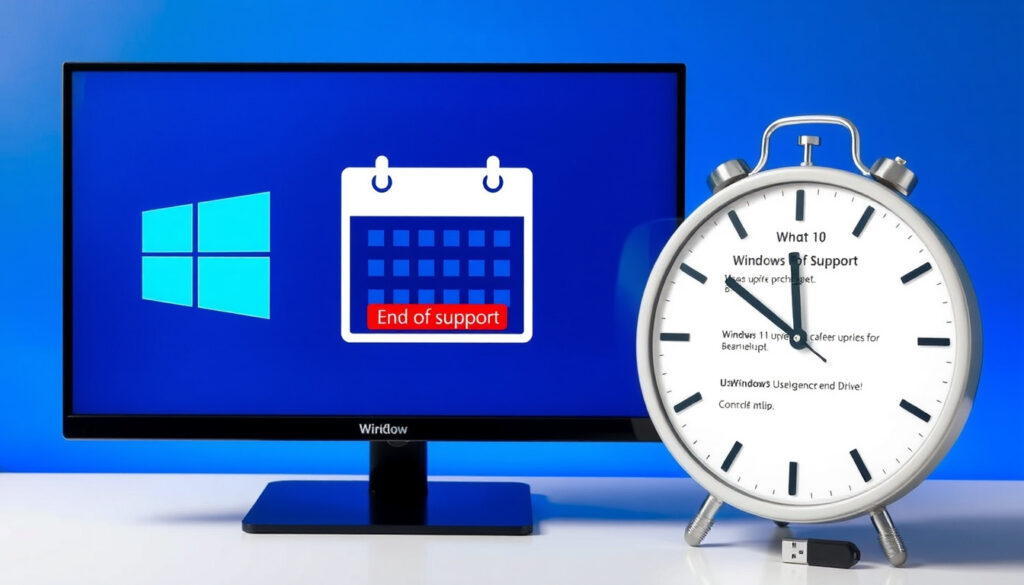
Windows 10 End of Life: Your Upgrade Options Explained
The October 14, 2025 deadline for Windows 10 support has passed, but the path forward isn’t a single upgrade button—it’s a choice between three options with different trade-offs. Here are the deadlines, costs, and security implications to help you decide.
Windows 10 end-of-support date: October 14, 2025 ·
Paid Extended Security Updates (ESU) available until: October 10, 2028 ·
Windows 11 free upgrade eligibility: Free upgrade available for eligible devices
Quick snapshot
- Windows 10 support ended on October 14, 2025 (Microsoft official support page)
- Windows 10 version 22H2 is the final version (Microsoft Learn lifecycle documentation)
- Consumer ESU enrollment is available until October 12, 2027 (Microsoft ESU page)
- Whether Microsoft will extend consumer ESU beyond 2027
- How many Windows 10 devices will remain unprotected after support ends
- October 14, 2025 — End of support (Microsoft Learn)
- November 2025 — Year 1 ESU starts for organizations (Microsoft Learn)
- October 12, 2027 — Consumer ESU ends (Microsoft)
- October 10, 2028 — Commercial ESU ends (Windows Experience Blog)
- Upgrade to Windows 11 if your PC is compatible
- Purchase Extended Security Updates (ESU) for temporary protection
- Replace your PC with a new Windows 11 device
What Windows 10 end of support really means
After October 14, 2025, Windows 10 no longer receives software updates, security fixes, or technical assistance from Microsoft (Microsoft official support page). That means any new vulnerabilities discovered after that date will not be patched for the millions of PCs still running Windows 10. The operating system itself remains functional, but using it without security updates exposes your device to malware, ransomware, and data theft.
Version 22H2 is the final release of Windows 10, and monthly security updates were provided through the support end date (Microsoft Learn lifecycle documentation). Both Home and Pro editions, as well as Enterprise and Education, reached end of support on the same day.
Running Windows 10 after October 14, 2025 is like leaving your front door unlocked. Microsoft will no longer ship security updates for the OS, and attackers will reverse-engineer the last patches to find new exploits. For businesses, that can mean compliance violations and data breach liability.
The implication: Without updates, every Windows 10 PC becomes a target.
Your upgrade options explained
Three main options exist for Windows 10 users: upgrade to Windows 11, pay for Extended Security Updates (ESU), or replace the PC. The right choice depends on your hardware compatibility, budget, and tolerance for risk.
Upgrade to Windows 11
- Free upgrade for eligible Windows 10 devices (Windows Experience Blog)
- Requires TPM 2.0, 8th-gen Intel or AMD Ryzen 2000 series CPU, 4GB RAM, 64GB storage
- If your PC is compatible, upgrade via Windows Update or installation assistant
The implication: If your device meets the hardware requirements, this is the simplest and most cost-effective path. Microsoft says customers contacting support after the cutoff will be directed to upgrade to Windows 11 if possible.
Purchase Extended Security Updates (ESU)
- Consumer ESU available from October 15, 2025 through October 12, 2027 (Windows Experience Blog)
- Pricing: free with Windows Backup sync and 1,000 Microsoft Rewards points, or $30 (The Hacker News)
- Commercial ESU: $61 per device for Year 1, doubling each year up to three years
The catch: ESU only covers critical and important security updates, not new features or design changes. It’s a temporary bridge, not a permanent solution.
Replace your PC
- Buy a new Windows 11 PC (Microsoft recommends Copilot+ PCs)
- Transfer data using Windows Backup or migration tools
- Best for devices that don’t meet Windows 11 hardware requirements
What this means: For users with older hardware, a new PC is the only way to stay fully supported and secure.
For the average home user, upgrading to Windows 11 is free and painless if your PC is compatible. The ESU program is a lifeline for those who can’t upgrade immediately, but it’s a paid stopgap—not a long-term strategy. Businesses face escalating costs the longer they wait.
The pattern: The cost of waiting only increases.
How to check if your PC can run Windows 11
Microsoft provides the PC Health Check tool to test compatibility. You can also check manually: your CPU must be Intel 8th-gen or AMD Ryzen 2000 series or newer, TPM 2.0 must be enabled, and Secure Boot must be active.
- Download PC Health Check from Microsoft (Microsoft Windows 11 page)
- Run the tool – it will tell you if your device meets requirements
- If not, check your BIOS settings for TPM and Secure Boot enablement
The pattern: Many capable PCs fail the check only because TPM is disabled. Turning it on in BIOS often resolves the issue.
Should you buy Windows 10 ESU?
ESU is worth considering if you need more time to upgrade or replace hardware. But weigh the cost: for consumers, the $30 fee or Rewards redemption is modest; for organizations, the price doubles each year, reaching $244 per device by Year 3.
Upsides
- Extends security coverage for up to 3 years
- Consumer option is affordable or free via Rewards
- Easy enrollment via Settings and notifications (Windows Experience Blog)
Downsides
- No new features, only security patches
- Cost escalates for organizations each year
- Does not protect against all threats (e.g., zero-days not in ESU scope)
The trade-off: ESU buys time but not peace of mind. You’re still running an operating system that Microsoft considers “end of life,” and third-party software may stop supporting it.
What to do if your PC is not compatible
If your PC fails the Windows 11 hardware check, your options are limited. You can either replace the device, install a lightweight Linux distribution, or continue using Windows 10 with ESU—but the latter is a temporary fix.
Steps to upgrade to Windows 11 safely
- Back up your files to OneDrive or an external drive
- Run PC Health Check to confirm compatibility
- Go to Settings > Update & Security > Windows Update
- Select “Download and install” for the Windows 11 upgrade
- Follow on-screen prompts (the process preserves your files and apps)
Why this matters: A clean migration reduces the risk of data loss and ensures your device receives ongoing security updates.
Timeline: Key dates for Windows 10 users
- July 2015 — Windows 10 launches (Microsoft)
- October 14, 2025 — End of support for all editions (Microsoft Learn)
- November 2025 — Year 1 ESU begins for organizations
- October 12, 2027 — Consumer ESU program ends (Microsoft)
- October 10, 2028 — Commercial ESU program ends (Windows Experience Blog)
The pattern: Microsoft has provided a three-year runway for organizations but only two years for consumers. The clock is ticking for both groups.
What’s confirmed vs. what’s still unclear
Confirmed facts
- Windows 10 support ended on October 14, 2025 (Microsoft)
- Version 22H2 is the final Windows 10 release (Microsoft Learn)
- Consumer ESU is available through October 12, 2027 (Microsoft)
- Commercial ESU costs $61 per device in Year 1, doubling annually
- Free upgrade to Windows 11 for eligible devices
What’s still unclear
- Whether Microsoft will extend the consumer ESU timeline beyond 2027
- How many Windows 10 devices will remain in use without security updates
- Whether third-party software vendors will continue supporting Windows 10 post-ESU
- Whether the Windows 11 free upgrade offer will remain available indefinitely
The bottom line: Microsoft’s strategy is clear, but the path for users depends on hardware and budget.
Quotes from Microsoft on the transition
“Windows 10 support ended on October 14, 2025, and technical assistance, feature updates, and security updates are no longer provided.”
— Microsoft Support (Microsoft official support page)
“Customers contacting support after October 14, 2025 will be directed to upgrade to the latest version of Windows 11 if the device is compatible, or replace it with a new Windows 11 PC.”
— Microsoft Learn (Microsoft Learn lifecycle documentation)
“Consumer ESU is free if you sync Windows Backup and redeem 1,000 Microsoft Rewards points, or $30 without Rewards.”
— The Hacker News (The Hacker News cybersecurity news outlet)
Microsoft’s messaging is consistent: the company wants users on Windows 11. The ESU program is a bridge, not a permanent alternative.
Final takeaway
For the millions of Windows 10 users still on the platform, the decision is clear: upgrade to Windows 11 if your hardware allows, enroll in ESU for a temporary safety net, or invest in a new device. For businesses, the cost of delaying gets steeper each year. For the average home user, the free upgrade path remains the smartest move—and the simplest. The alternative is running an unsupported operating system with no security net, and that’s a risk that grows with every passing month.
support.microsoft.com, learn.microsoft.com, learn.microsoft.com, learn.microsoft.com, techcommunity.microsoft.com, learn.microsoft.com, learn.microsoft.com
For a detailed breakdown of costs and deadlines, see this Windows 10 end of life upgrade guide from Canadian Pulse.
Frequently asked questions
What happens if I continue using Windows 10 after October 14, 2025?
Your PC will still work, but it will no longer receive security updates, bug fixes, or technical support. This leaves your device vulnerable to new malware and exploits.
Can I still use Windows 10 after end of life?
Yes, but it is not recommended. Without security patches, your system is at higher risk. Microsoft recommends upgrading to Windows 11 or purchasing ESU.
Is Windows 11 free for Windows 10 users?
Yes, the upgrade is free for eligible Windows 10 devices. You can upgrade via Windows Update or the installation assistant.
How much does Windows 10 ESU cost for consumers?
Consumer ESU is free if you sync Windows Backup and redeem 1,000 Microsoft Rewards points, or $30 without Rewards. Enrollment is available through Settings.
How long does consumer ESU last?
Consumer ESU coverage runs from October 15, 2025 through October 12, 2027.
What if my PC doesn’t meet Windows 11 requirements?
You have three options: purchase ESU, replace your PC with a new Windows 11 device, or switch to a Linux distribution like Ubuntu or Linux Mint.
Will third-party software still work on Windows 10 after end of life?
Many programs will continue to work, but developers may stop supporting Windows 10 over time. Check with your software vendors for their plans.
More related posts
 Spicy Wife Nasi Lemak Reviews: Menu, Price & Halal
 Popeye the Sailor Man: Origin, Characters & Legacy
 Cast of A Good Child (2025) – Full List of Actors and Characters
 Gordon Ramsay Singapore Restaurant: Bread Street Kitchen
 Cloudy Bay Sauvignon Blanc – Price, Vintages, Reviews and Where to Buy
 Bukit Batok Town Park: Little Guilin Guide & Hikes
 Oh Na-ra: Age, Husband, Career & Dramas
 Mitsubishi Aircon System 3: Price, Symbols, Problems & Settings