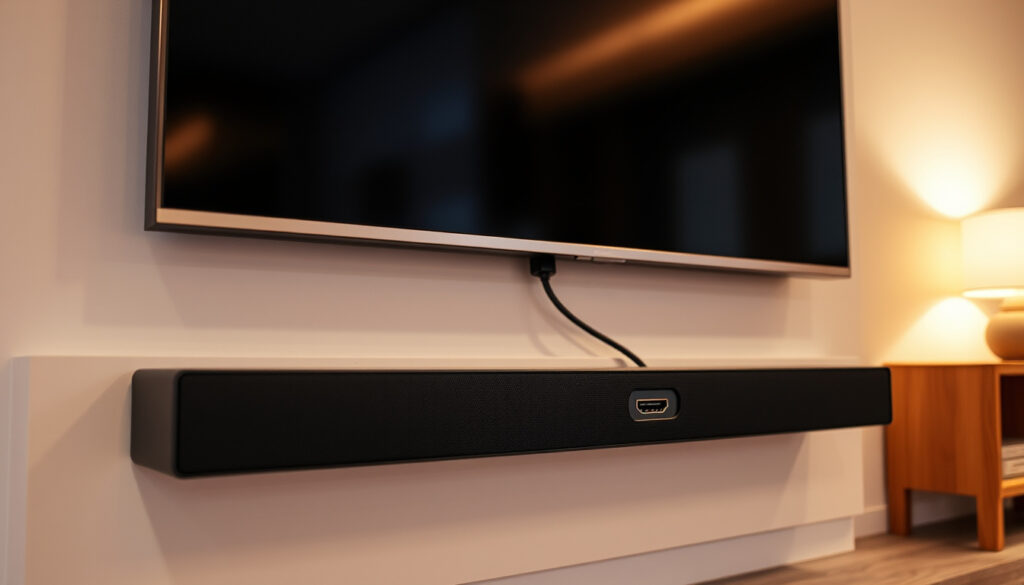
What Is HDMI ARC? How It Works With a Soundbar Setup
If you’ve ever plugged a soundbar into your TV and heard nothing, you’ve probably noticed the letters ARC on one of the HDMI ports. ARC stands for Audio Return Channel, a feature that lets your TV send audio back down the same cable that carries video from a streaming box or game console. Introduced with HDMI 1.4 in 2009, ARC was designed to replace the separate optical cable that used to connect TV to soundbar. Here’s what ARC actually does, how to find the right port, and what to do when silence strikes.
ARC stands for: Audio Return Channel ·
Introduced in: HDMI 1.4 (2009) ·
eARC added with: HDMI 2.1 (2017) ·
Main use: Send TV audio back to a soundbar or AV receiver
Quick snapshot
- ARC is a feature of certain HDMI ports, not a separate cable (Crutchfield (audio retailer)).
- eARC is an enhanced version in HDMI 2.1 (Sonos (audio brand)).
- ARC can replace a separate audio cable in many TV-to-soundbar setups (TCL Support (TV manufacturer)).
- Exact ARC port location varies by TV brand and model.
- Which audio formats work over ARC depends on TV, soundbar, and content source.
- ARC introduced with HDMI 1.4 in 2009; eARC added with HDMI 2.1 in 2017 (What Hi-Fi? (AV review publication)).
- eARC is backward-compatible with ARC and uses the same labeled port (Samsung Support (TV manufacturer)).
- eARC support is becoming standard on 2020+ TVs and soundbars. (Sony Support (electronics manufacturer))
- Most setup failures are solved by finding and enabling the right ARC port, not by buying a new cable (Sony Support (electronics manufacturer)).
The table below sums up the key identifiers for ARC and its enhanced successor eARC in a single glance.
| Attribute | Value |
|---|---|
| Full name | Audio Return Channel |
| First standard | HDMI 1.4 (2009) |
| eARC standard | HDMI 2.1 (2017) |
| Port label | ARC or eARC/ARC |
| Main job | Return TV audio to a soundbar or AV receiver |
Is there a difference between HDMI and HDMI ARC?
Every HDMI port carries video and audio in one direction — from a source to the TV. ARC adds a second lane on the same cable, allowing audio to flow from the TV back to a soundbar or AV receiver. The distinction lives in the port, not the plug.
Can I use HDMI ARC as a normal HDMI?
- Yes. An ARC-labeled port works exactly like a standard HDMI input for devices like game consoles or streaming sticks.
- To use the audio return function, connect the TV’s ARC port to a soundbar’s ARC port — that two-way audio path is what makes ARC different.
What is HDMI eARC?
- eARC (enhanced Audio Return Channel) was introduced with the HDMI 2.1 specification in 2017 and supports higher-bandwidth audio such as Dolby TrueHD and DTS-HD Master Audio.
- eARC uses the same physical port as ARC and is backward-compatible, but requires an Ultra High Speed HDMI cable for full bandwidth (SATER (AV retailer)).
The implication: If you plug a standard device into an ARC port, it works as usual. The difference only matters when you want your TV to send audio back out.
Buying a new cable won’t give you ARC if your TV doesn’t have an ARC-labeled port. The feature is in the hardware, not the cord.
What should HDMI ARC be used for?
ARC’s main job is to eliminate the extra cable normally needed between a TV and an external audio system. It’s a cable-reducer and a remote-control simplifier.
Should I plug my soundbar into HDMI ARC?
- Yes — that is the intended use. Connect the TV’s ARC port to the soundbar’s ARC output to hear audio from built-in apps, over-the-air channels, and connected devices all through the soundbar.
- Many setups also enable HDMI-CEC, so the TV remote can control the soundbar’s volume and power. TCL calls it Anynet+, Samsung uses SimpLink, Sony uses Bravia Sync.
How do I connect HDMI ARC to a TV?
- Find the HDMI port labeled ARC or eARC/ARC on your TV. Use a High Speed HDMI cable to connect it to the HDMI OUT (ARC/eARC) port on your soundbar or receiver.
- Enable ARC in the TV’s audio settings: set sound output to “External Speaker” or “HDMI ARC.” On some TVs, you also need to turn on HDMI-CEC.
The trade-off: ARC works best when the TV, soundbar, and cable are from similar eras. Older hardware may need optical as a fallback.
If you connect a soundbar to a standard HDMI input instead of the ARC port, you get no sound and assume the soundbar is broken. The port label is everything.
Do I need a special HDMI cord for HDMI ARC?
No — ARC works over any functioning High Speed HDMI cable. The confusion comes from marketing that labels cables as “ARC-ready.”
What is an HDMI ARC cable?
- There is no such thing as a unique “ARC cable.” Any standard HDMI cable that carries video and audio at 1080p or 4K also carries the return audio signal.
- Cables sold as ARC or eARC cables are simply standard HDMI cables with extra bandwidth certification. For eARC, an Ultra High Speed 48Gbps cable is recommended to support uncompressed audio.
How do I identify an HDMI ARC cable?
- You cannot identify an ARC cable by looking at it. The cable has no ARC logo. Check the packaging for “High Speed HDMI” or “Premium High Speed” — both carry ARC.
- If ARC fails, test with the cable that came with the soundbar first before buying a new one.
The pattern: ARC doesn’t ask anything special from the cable. If you have a cable that works for 4K video, it works for ARC. Only eARC with high‑bandwidth formats may need an upgrade.
Can any HDMI port be used for ARC?
No. Only the port labeled ARC or eARC/ARC supports Audio Return Channel. Other HDMI inputs are one-way only.
How do I tell which HDMI port is ARC?
- Look for the words “ARC” or “eARC/ARC” printed next to the HDMI port on the back or side of the TV. Use a flashlight if the label is faint (iMore (tech advice site)).
- On most TVs, ARC is assigned to either HDMI 1 or HDMI 2. Check the user manual or the on-screen settings menu under “Audio Output.”
Can HDMI be converted to HDMI ARC?
- No. ARC is a hardware feature built into the TV’s HDMI chipset. No adapter or converter can add ARC to a non-ARC port.
- If your TV lacks ARC, use optical audio or analog outputs as an alternative.
Do all TVs have an HDMI ARC port?
- No. ARC support depends on the TV model and year. Most TVs manufactured after 2014 include at least one ARC port, but budget or older models may omit it.
- When buying a new TV, look for “ARC” or “eARC” next to an HDMI input if you plan to use an ARC soundbar.
The catch: You can’t guess which port is ARC — you must read the label. Once you find it, that single port handles everything.
Comparing standard HDMI, ARC, and eARC side by side clarifies what each version can actually deliver for audio.
| Feature | Standard HDMI | HDMI ARC | HDMI eARC |
|---|---|---|---|
| Audio direction | One-way (source to TV) | Two-way (source to TV and TV to soundbar) | Two-way, with higher bandwidth |
| Maximum audio format | Up to 5.1 compressed | Dolby Digital Plus, DTS (up to 5.1) | Dolby TrueHD, DTS-HD Master Audio, uncompressed PCM |
| Required cable | Standard HDMI | High Speed HDMI | Ultra High Speed HDMI (48Gbps) |
| Introduced | 2002 | HDMI 1.4 (2009) | HDMI 2.1 (2017) |
Can I use a soundbar if my TV doesn’t have HDMI ARC?
Yes. A TV without ARC still has audio outputs that work with modern soundbars — just not through a single HDMI cable.
Which TVs support HDMI ARC?
- Any TV with an ARC-labeled port. If the TV is from 2015 or later, it likely has ARC; check the label or manual to be sure.
- Newer models often include eARC, which is backward-compatible with ARC and uses the same port.
Alternatives when the TV lacks ARC:
- Optical digital audio (TOSLINK) — supported by almost every soundbar and TV made after 2005. It carries up to 5.1 Dolby Digital but not Dolby Atmos.
- Analog stereo (3.5mm or RCA) — simple but limited to two channels.
- Bluetooth audio — convenient but may introduce lip-sync delay.
The pattern: ARC is convenient but not mandatory. Optical audio does 80% of what ARC does for soundbar users, with fewer setup headaches.
For anyone with a TV from before 2014, the missing ARC port doesn’t mean a missing soundbar. Optical and Bluetooth are reliable fallbacks that work with almost any TV.
How to connect a soundbar to HDMI ARC (step by step)
- Locate the HDMI port on your TV labeled ARC or eARC/ARC. Use a flashlight if needed.
- Connect one end of a High Speed HDMI cable to the TV’s ARC port and the other end to the soundbar’s HDMI OUT (ARC) port.
- Turn on both devices. On the TV, go to Settings > Audio > Sound Output and select “HDMI ARC” or “External Speaker.”
- Enable HDMI-CEC (often called Anynet+, SimpLink, or Bravia Sync) so the TV remote can control soundbar volume.
- Set the soundbar input to HDMI ARC (not Bluetooth or optical).
- Play audio from a built-in TV app (like Netflix) to confirm sound comes from the soundbar. If silent, try toggling ARC off/on in TV settings and rebooting both devices (AV Access (AV solutions)).
What we know and what’s still unclear
Confirmed facts
- ARC is a feature of specific HDMI ports, not a separate connector.
- eARC is an enhanced version in HDMI 2.1.
- ARC can replace a separate audio cable in many TV-to-soundbar setups.
- Some TVs require ARC to be enabled in the audio settings.
What’s unclear
- Exact ARC port location varies by TV brand and model.
- Which audio formats actually work over ARC depends on the TV, soundbar, and content source.
- Whether a TV’s ARC port is on HDMI 1, HDMI 2, or another input is not standardized.
- Older TVs may have ARC but label it only in the manual.
What the experts say
eARC is designed for higher-bandwidth audio formats and simpler setup behavior than legacy ARC.
HDMI ARC uses a TV’s HDMI port to send audio back to a soundbar or AV receiver over the same cable that also carries video to the TV.
— Crutchfield (audio/video retailer)
The TV end of an ARC/eARC setup must use the port labeled ARC or eARC, and the soundbar or receiver end must use HDMI OUT (ARC/eARC), not an input port.
— TCL Support (TV manufacturer)
ARC is not a mystery — it’s a port label. For anyone hooking up a soundbar today, the real world choice is clear: find the ARC port on your TV, use the cable you already own, and enable the setting. If your TV lacks ARC, optical audio does the job without the extra complexity. The cable aisle will not solve what the port label doesn’t list.
Related reading: HDMI ARC and eARC explained · HDMI ARC and HDMI eARC: everything you need to know
Frequently asked questions
Does HDMI ARC carry video, or is it audio-only?
ARC carries both video and audio when used as a standard input. But when functioning as a return channel, it only sends audio back from the TV to the soundbar. The video signal always flows into the TV from a source device.
Why is my HDMI ARC connection silent?
Most often the TV’s audio output is still set to “Internal Speaker.” Go to Settings > Audio and select “HDMI ARC.” Also ensure HDMI-CEC is enabled and the soundbar input is set to ARC. If still silent, unplug both devices for 30 seconds and retry.
Does HDMI ARC support Dolby Atmos?
Standard ARC can carry Dolby Atmos in its compressed form (Dolby Digital Plus). To get lossless Dolby Atmos (TrueHD), you need eARC and an Ultra High Speed HDMI cable.
Can HDMI ARC and eARC use the same port?
Yes. Most newer TVs have a single port labeled “eARC/ARC.” eARC is backward-compatible with ARC, so it works with older soundbars. Just use a High Speed HDMI cable downgrade to ARC bandwidth automatically.
Is HDMI ARC the same as HDMI-CEC?
No. ARC handles audio return; CEC (Consumer Electronics Control) enables control commands like volume and power over the same HDMI cable. Many TVs require CEC to be active for ARC to work properly.
Do I need to enable ARC in my TV settings?
Yes. Even after connecting the correct cable, most TVs default to internal speakers. You must change the audio output to “HDMI ARC” or “External Speaker” and often enable HDMI-CEC in the settings menu.
More related posts
 Southend Airport Plane Crash 2025: Victims, Cause & Investigation
 100 SGD to VND Today: Rate, Black Market & What It Buys
 Charles & Keith Tampines: Concept Store Prices & Tax Refund Guide
 Lawrence Wong Singapore Budget 2026: Full Breakdown
 Father’s Day Singapore 2025: Date & Celebration Guide
 Aston Villa vs Crystal Palace: Prediction, H2H, Highlights & Live
 Gold Chain for Men: Sizes, Styles & Prices in Ireland
 YouTube Video Download: Legal Methods, Safety & Best Practices